
前提
- 当前系统已安装 msys2
- 已安装 vscode 和 c/c++扩展包
- 已通过配置添加 msys2 的环境变量
然后是工作区配置如下
launch.json
{
    // Use IntelliSense to learn about possible attributes.
    // Hover to view descriptions of existing attributes.
    // For more information, visit: https://go.microsoft.com/fwlink/?linkid=830387
    "version": "0.2.0",
    "configurations": [
        {
            "name": "gcc.exe - Build and debug active file",
            "type": "cppdbg",
            "request": "launch",
            "program": "${fileDirname}\\${fileBasenameNoExtension}.exe",
            "args": [],
            "stopAtEntry": false,
            "cwd": "${fileDirname}",
            "environment": [],
            "externalConsole": false,
            "MIMode": "gdb",
            "miDebuggerPath": "gdb.exe",
            "setupCommands": [
                {
                    "description": "Enable pretty-printing for gdb",
                    "text": "-enable-pretty-printing",
                    "ignoreFailures": true
                }
            ],
            "preLaunchTask": "C/C++: gcc.exe build active file"
        }
    ]
}
tasks.json
{
    "tasks": [
        {
            "type": "cppbuild",
            "label": "C/C++: gcc.exe build active file",
            "command": "g++.exe",
            "args": [
                "-fdiagnostics-color=always",
                "-g",
                "${file}",
                "-o",
                "${fileDirname}\\${fileBasenameNoExtension}.exe"
            ],
            "options": {
                "cwd": "${fileDirname}"
            },
            "problemMatcher": [
                "$gcc"
            ],
            "group": {
                "kind": "build",
                "isDefault": true
            },
            "detail": "Task generated by Debugger."
        }
    ],
    "version": "2.0.0"
}
测试代码
#include <stdlib.h>
#include <stdio.h>

//__declspec(dllimport) int __cdecl Add(int a, int b);

int main(int argc, char **argv)
{
  // printf("%d\n", Add(6, 23));
  printf("hello world");
  return EXIT_SUCCESS;
}
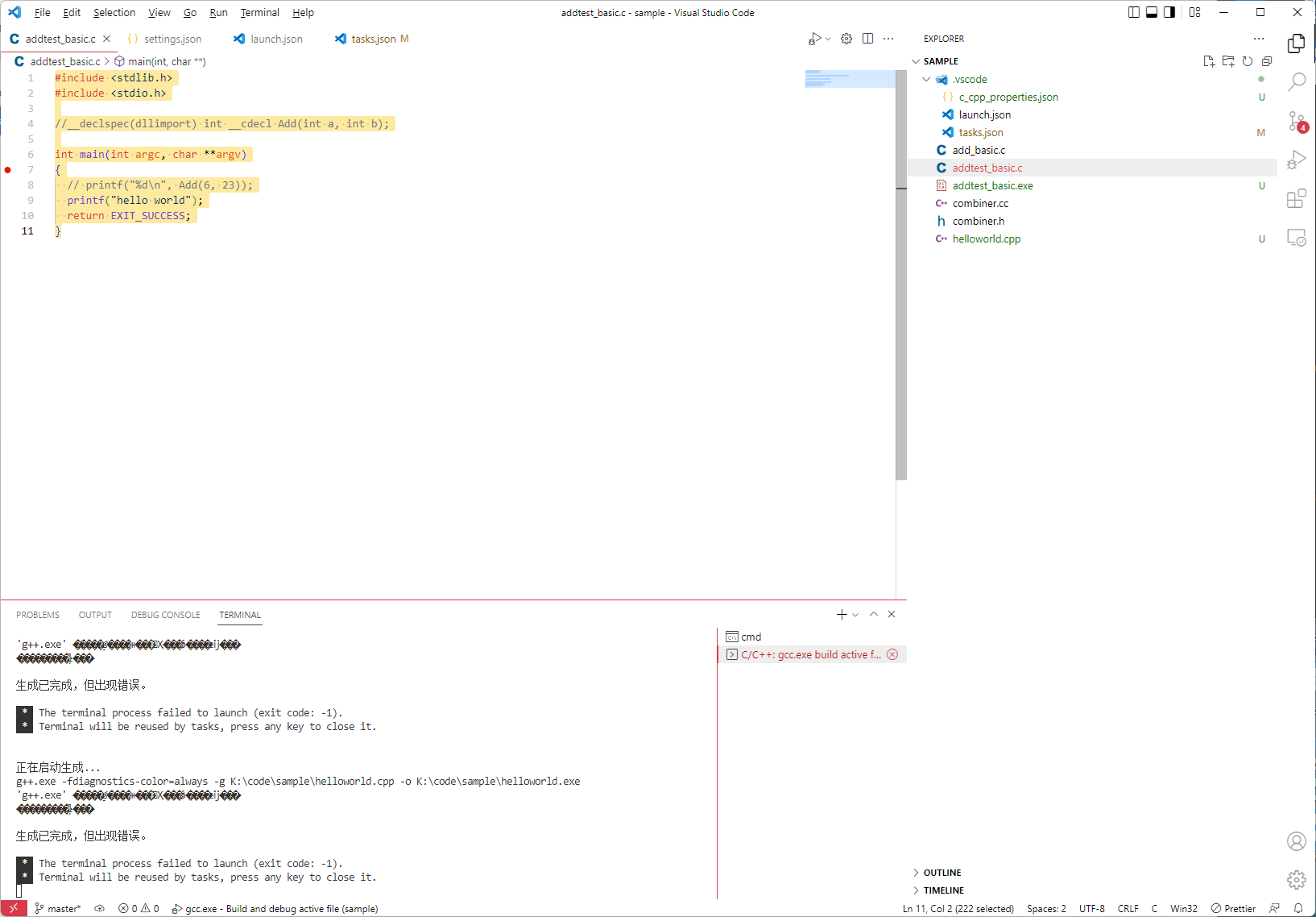
当执行 F5 时,终端会乱码并提示错误
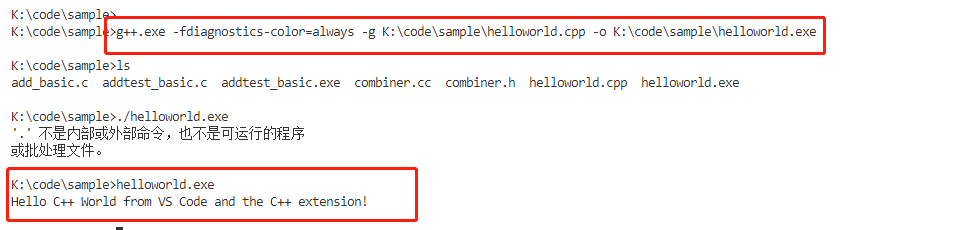
但如果直接复制构建命令并在终端执行,是没问题的
已按照官方的说明文档 Using GCC with MinGW 对比过配置,没看出来问题.也百度过类似问题但都不是我这种情况.
请问各位大佬又遇到类似的问题吗,如何解决呢?


 Select Language